 Tasselline | Latest Articles By Singaporeans, for Singaporeans Article Site for Singaporeans
Putting an image on a page is straightforward. Making it boost your rankings is harder. Search engines check more than just the text around them. They look at how fast the file loads and if it is described correctly. An SEO company in Singapore called SEO Consultants SG knows that one large file can slow down the whole page speed. A missing alt tag also silences a valuable ranking signal. The outcome is lower visibility and slower traffic. You end up missing out on conversions because the technical setup is off.
SEO Company in Singapore: Why Image Optimisation Matters
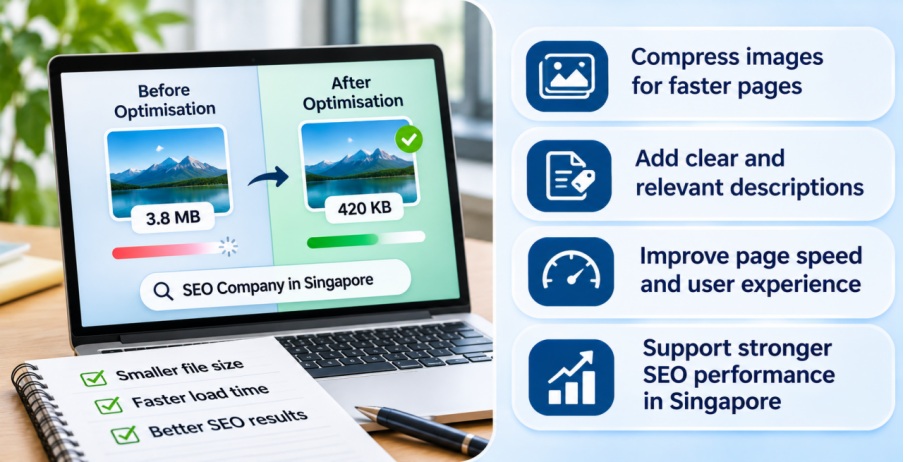
Think of image optimization as the glue between layout, speed, and search. Compress and describe your images properly, and pages load faster – something Google rewards. That speed boost feeds directly into SEO services in Singapore. An SEO company in Singapore that nails these details can boost traffic within weeks.
How Image Optimisation Impacts Search Rankings
Search engines weigh every part of a page before deciding how relevant it is. A heavy image slows the crawler down, so it spends less time reading your actual content, and that drags the page’s score lower. Lighter, well-optimised visuals do the opposite – crawlers move through them fast and quickly confirm what the page is about. A good team checks that each image earns its place, supporting the content without adding dead weight.
Search Engine Crawlers and File Size
Crawlers can only process a set amount of data per visit. Heavy JPEGs or uncompressed PNGs eat up that space fast, which stops the bot from following deeper links. Making files smaller directly increases how much of the site gets crawled. Tools like Google PageSpeed Insights spot these oversized images, so you know exactly what to fix.
Alt Text and Semantic Context
Alt tags do two things: they describe images for people with visual impairments and give search engines readable text. A short, clear description tells an SEO agency in Singapore exactly what the picture shows without adding irrelevant keywords. For instance, “hand-stitched leather wallet – Singapore boutique” covers the product, material, and location in one simple line.
Compression Techniques for Faster Loads
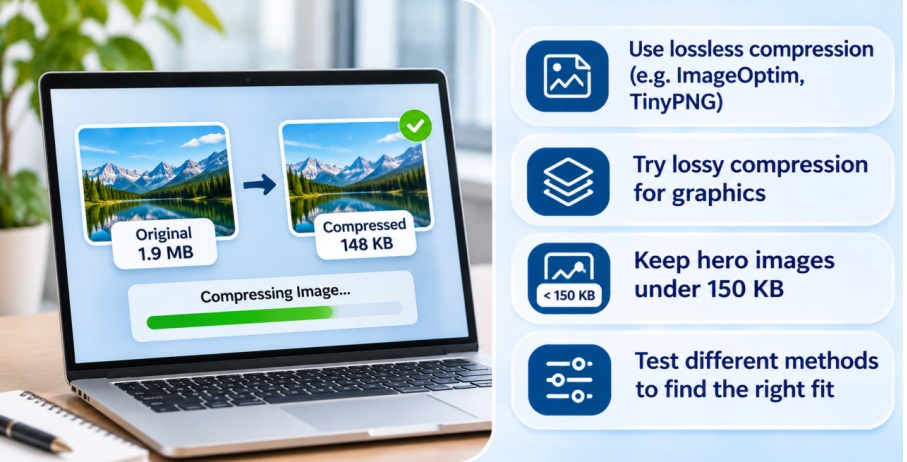
Lossless compression strips data without hurting quality, using tools like ImageOptim or TinyPNG. If that isn’t enough, lossy methods work for graphics where the difference is invisible. Keep hero images under 150 KB. SEO Consultants SG suggests testing different methods to find the right fit for each asset.
Responsive Images Across Devices
Phones need smaller files than desktops. Browsers can pick the right image size automatically if you use the `<picture>` element and `srcset` attribute, so mobile users skip the heavy downloads. Less data used means happier visitors, and Google rewards that under mobile-first indexing. An SEO agency in Singapore reviews existing markup and adds missing tags so pages stay efficient on every screen.
What Role Does Page Speed Play?
Page speed counts as a ranking factor for both desktop and mobile. A half-second delay can push bounce rates up, particularly on slower connections. Optimising images is usually the fastest way to boost load times since they make up most of a page’s weight. A speed-focused company starts by checking image formats and how they are delivered.
● Convert photographs to WebP where browser support exists, saving considerable space.
● Resize each image to match its largest display size on the page – don’t let the browser scale it up.
● Add lazy-loading so off-screen images only load once a visitor scrolls down to them.
● Serve images from a content delivery network positioned near the visitor’s region.
● Strip unnecessary metadata from files, reducing size without affecting visual quality.
The table sets out usual image fixes and their typical effect on page speed.
| Action | Typical Size Reduction | Expected Speed Gain |
| Convert JPEG to WebP | Significant | Noticeable |
| Resize to display dimensions | Moderate | Helpful |
| Enable lazy loading | Minor | Useful |
| Use CDN | Minor | Helpful |
| Remove metadata | Minor | Helpful |
Integrating Optimisation into Content Workflow
Set up a simple checklist for writers covering image names, file sizes and alt-text. Keep the big originals in a safe archive, then use a preset in Photoshop or a script to make the web versions automatically. Putting those steps straight into the publishing process means you won’t have to go back and fix things later. As time goes on, the site runs smoother, leaving the team free to work on bigger picture strategies.
How to Implement an Ongoing Optimisation Routine

It doesn’t take long for quick fixes to fall apart without a steady routine. You want regular audits to keep image sizes down and new posts hitting the right marks. Automation helps with the repetitive bits, but only a person can check that the branding stays on point. That’s why lots of firms go with an SEO agency in Singapore that keeps a close eye on things.
Auditing Tools and Regular Checks
For the audit, tools like Screaming Frog and Sitebulb crawl the site to list images that are too big or missing alt text. You should run these checks every month to spot issues early. Once a large image gets flagged, swap it for an optimised version and fix the markup. That steady reporting shows stakeholders exactly what each optimization round achieved.
Ongoing Support
The audit work at a dedicated team covers technical checks and strategy. Their team looks at how the site is doing, fixes what needs fixing, and checks that new visuals follow good practice. With the details already handled, you can focus on the rest of your business while still getting solid SEO services in Singapore.
It’s not magic when images stay light and responsive on a site, just a set of adopted steps. Routine use gets you faster pages and better crawler signals. If you want a partner who grasps editorial optimisation, turn to an SEO company in Singapore. SEO Consultants SG is ready to embed these practices into your workflow.