 Tasselline | Latest Articles By Singaporeans, for Singaporeans Article Site for Singaporeans
Changing a website’s URLs can damage years of SEO work when nobody checks what those pages are doing first. A service page might bring in enquiries every week. An old article might have backlinks that would be difficult to earn again. Before changing addresses, a seo consultant needs to know what is worth keeping and what can safely go. SEO Consultant in SG is one provider to consider when planning a website migration.
Audit Existing URLs Before Making Changes

Start with the pages that already bring people to the website. Not the prettiest pages, necessarily. The useful ones.
A page buried deep in the navigation might attract customers ready to enquire, while a prominent landing page barely gets any organic traffic. Changing both in the same way would be a mistake. The existing data should guide the decisions, not the redesign team’s preferences.
Review Rankings, Traffic and Backlinks
Google Search Console can show which pages appear in search results and which queries bring people to them. Analytics adds another piece: whether those visitors actually visit important pages or take useful actions.
Seo consultants in Singapore should examine individual URLs, including old service pages and articles that haven’t been updated for years. Backlinks deserve attention, too. A page with links from relevant websites has value that may not be obvious from its current traffic.
Record the existing performance before anything changes. Otherwise, if enquiries fall after launch, it becomes much harder to work out which pages were affected and why.
Identify URL Patterns and Technical Issues
- The website may have accumulated years of small inconsistencies.
- Perhaps the same page loads with and without a trailing slash.
- Maybe old campaign parameters have created multiple URL versions, or a previous redesign left redirects pointing through several addresses.
- These details matter before a new structure is approved.
- An seo consultant in Singapore should check canonical tags, duplicate URLs and internal links, then decide which issues need fixing during the migration.
- Moving everything across unchanged can simply carry the old problems into the new site.
Plan Redirects and Preserve Existing SEO Value
Every old URL needs a decision before launch. Some pages should keep their addresses. Others need a redirect to a genuinely relevant replacement. A few may have no useful successor at all.
The mistake is treating redirects as a way to make every old URL disappear neatly. Send an article about commercial flooring to a generic services page, for example, and visitors still won’t find what they came for.
Build a URL-to-URL Redirect Map
A redirect map makes the decisions visible. It pairs each old address with its intended destination, so developers aren’t left guessing when the new site goes live.
Consider a website that replaces its old service pages with a new structure. If several pages cover different services, sending them all to one general page may lose the distinctions that made them useful in the first place.
| Old URL situation | Better decision |
| A service page has a direct replacement | Redirect to the new page for that service |
| An article has been updated and moved | Redirect to the updated article |
| Two pages cover the same subject | Decide which page should remain and map the other carefully |
| A page has been removed with no relevant replacement | Assess whether a redirect is appropriate or the old URL should return a not-found status |
An seo agency in Singapore should review the mapping before it reaches the developers, particularly where valuable pages or backlinks are involved. SEO Consultant SG is one provider to research when comparing migration support.
Check Internal Links, Canonicals and Sitemaps
Redirects can work perfectly while the rest of the website still points to the old addresses. That creates unnecessary detours.
Update your internal links so they go directly to the new URLs. Pay attention to canonical tags—every page should point to its correct address. If you mess this up, search engines won’t know which page to prioritise. And don’t overlook your XML sitemap. Make sure it only lists the right URLs, not ones that have already been redirected.
These are straightforward checks, but they are easy to miss when everyone is concentrating on the launch itself.
Test the Migration Before and After Launch
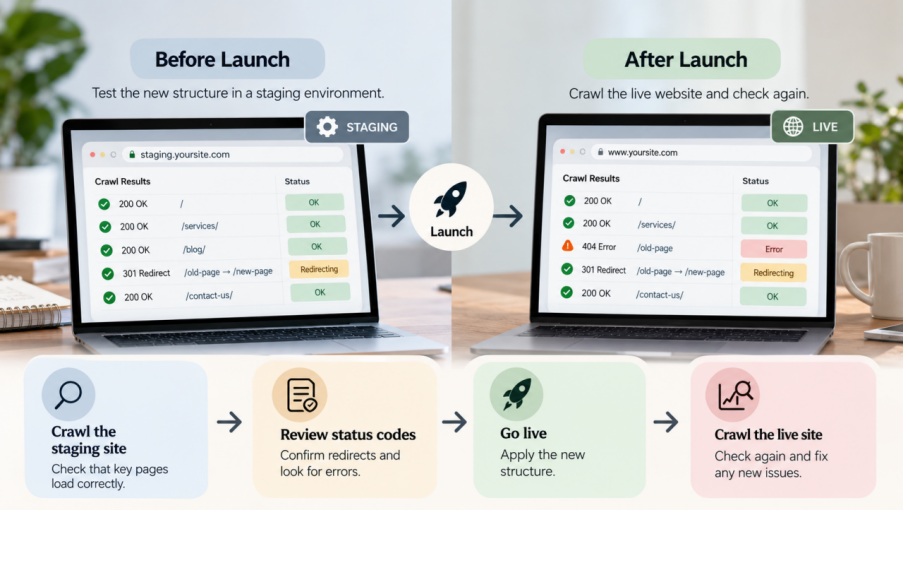
Don’t rely on the redirect plan alone. Test the actual pages.
Before launch, crawl the proposed structure in a staging environment where possible. After launch, repeat the crawl on the live website. A page that looked fine during development might return an error once the new rules are applied.
Check Status Codes and Redirect Chains
Start with the pages that matter most. Do they load? Do the old URLs reach the right destinations? Are any redirects looping back on themselves or passing through several unnecessary steps?
An seo consultant should also check for pages accidentally blocked from crawling and important URLs returning errors. A website can look completely normal to visitors while search engines struggle to access its content. The browser view alone won’t reveal everything.
Check the Pages That Could Cost You Traffic
Rather than working through a generic list without context, begin with the URLs identified in the original audit. Test the important service pages, high-traffic articles and pages with valuable backlinks. Then check the rest of the site for patterns that suggest a wider problem.
An seo agency should make sure these checks have been completed before the migration is signed off. If a key page fails, fix it and test it again. Don’t assume the problem will sort itself out after launch.
Monitor Search Performance After URL Changes
A launch isn’t proof that the migration has worked. Search engines need to discover the new URLs, crawl them and process the changes. Rankings may move during that period, so one day’s figures rarely tell the whole story.
Track Indexing, Traffic and Ranking Changes
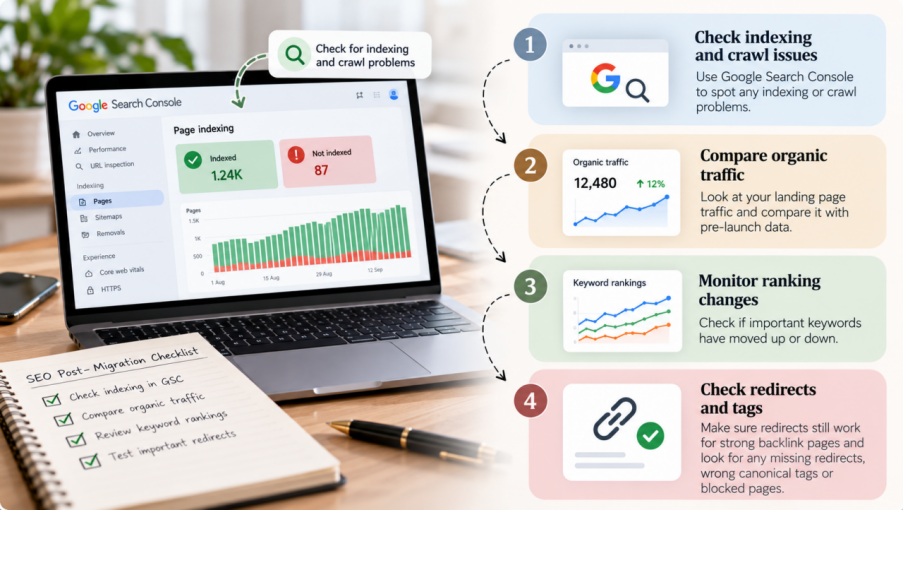
Take a look at Google Search Console to spot any indexing or crawl problems. Then, compare your organic landing page traffic with what you saw before launch—especially for the pages that used to bring in leads.
If you’re an SEO consultant in Singapore, make sure your redirects still work for pages that have strong backlinks. SEO agencies in Singapore also need to dig into whether missing redirects, wrong canonical tags, or blocked pages are causing you to lose visibility.
Investigate Drops Before Making More Changes
Suppose traffic falls a week after launch. Don’t immediately rewrite the content or change the URLs again. Find out which pages have lost visits first. Check their status codes, redirect destinations and indexing reports. Look at when the decline began, too.
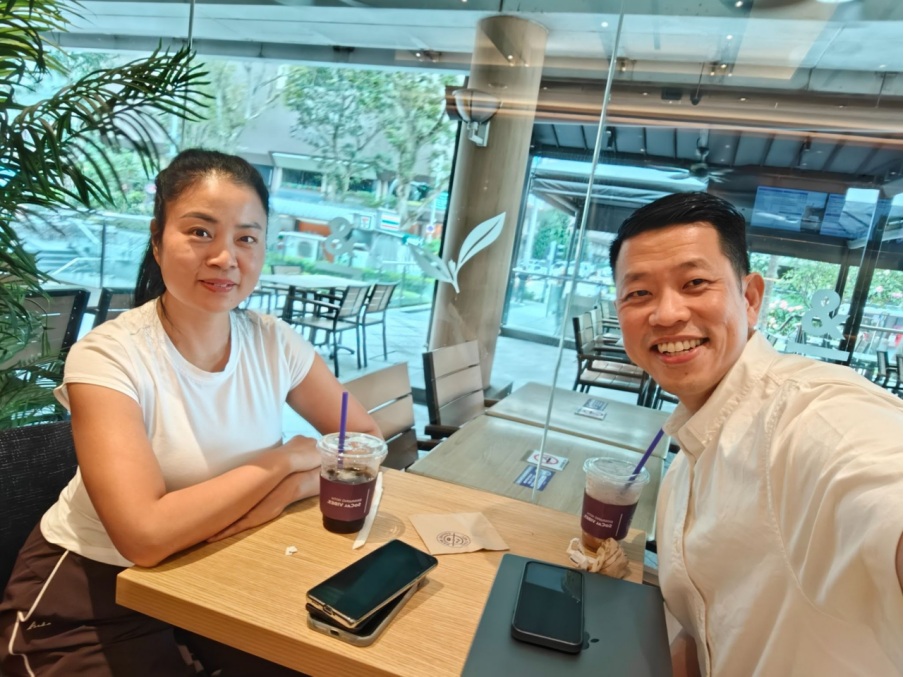
iClick Media Director Mr Terence Sim with Ms Lisa, Director of Bloom Nail Garden (Forum Shopping Mall) discussing digital marketing and preparing for the upcoming photoshoot..
An seo consultant in Singapore can help identify the likely cause and prioritise the fixes. The migration may be responsible, but other changes or normal search fluctuations could also explain the drop.
Before hiring any seo services, ask who will check the old URLs, test the redirects and review performance once the site is live. SEO Consultant SG is one option to research alongside other providers. The important thing is to find someone who will examine the actual pages and follow up when something goes wrong, rather than treating launch day as the end of the job.